Text messages from businesses on Temaro
Temaro Text Messaging Program and SMS Terms · Last updated: October 28, 2026
Temaro LLC, an Arkansas company (temaro.io), makes software for local home-service businesses — painters, landscapers, plumbers, cleaners and similar trades. When one of those businesses texts you, the message comes from that business's own Temaro phone number, it is about your project with them, and Temaro LLC sends it on the business's behalf.
Texting is always optional.
Agreeing to texts is never required. You never have to agree to texts to send a form, ask for a quote, book a visit, or get any service. If you don't opt in, the business reaches you by phone or email instead. Without opting in you get no automated texts, with one exception: a single reply to a call of yours that the business missed (explained below).
How you opt in
There are four ways, and each one is your own choice.
1. The optional box on a business's project form or booking page
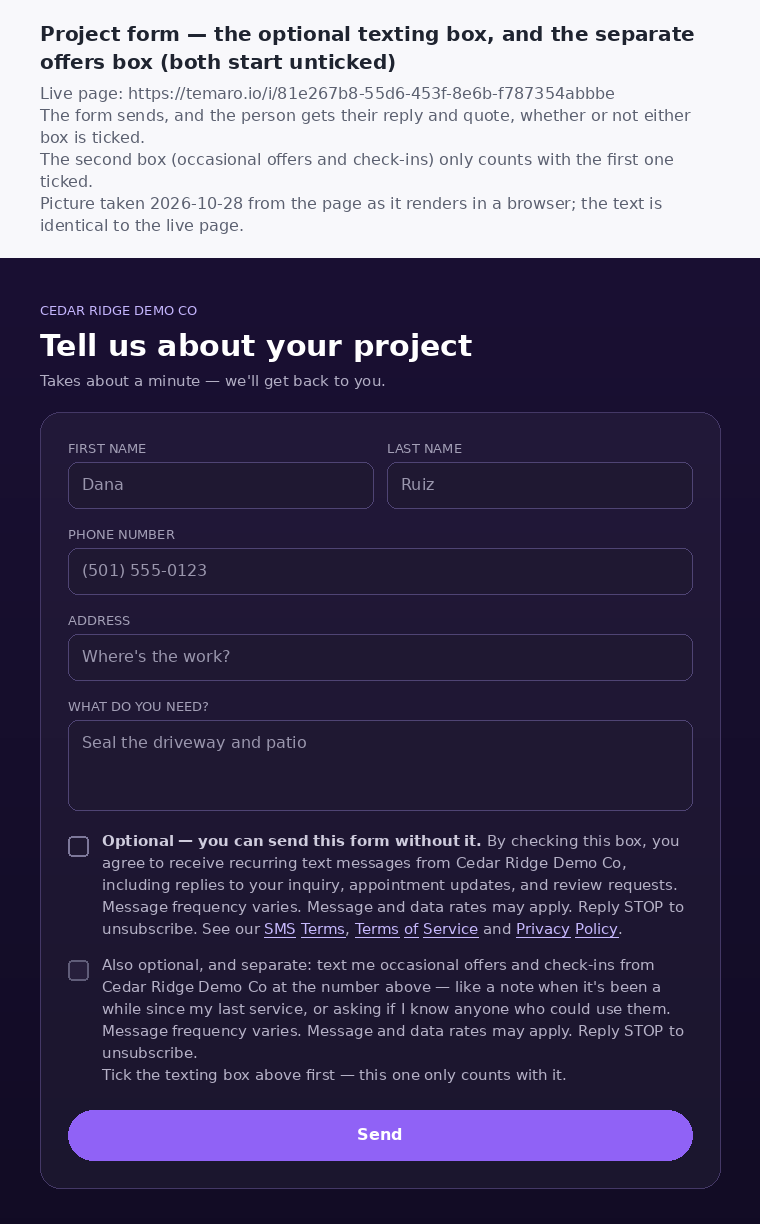
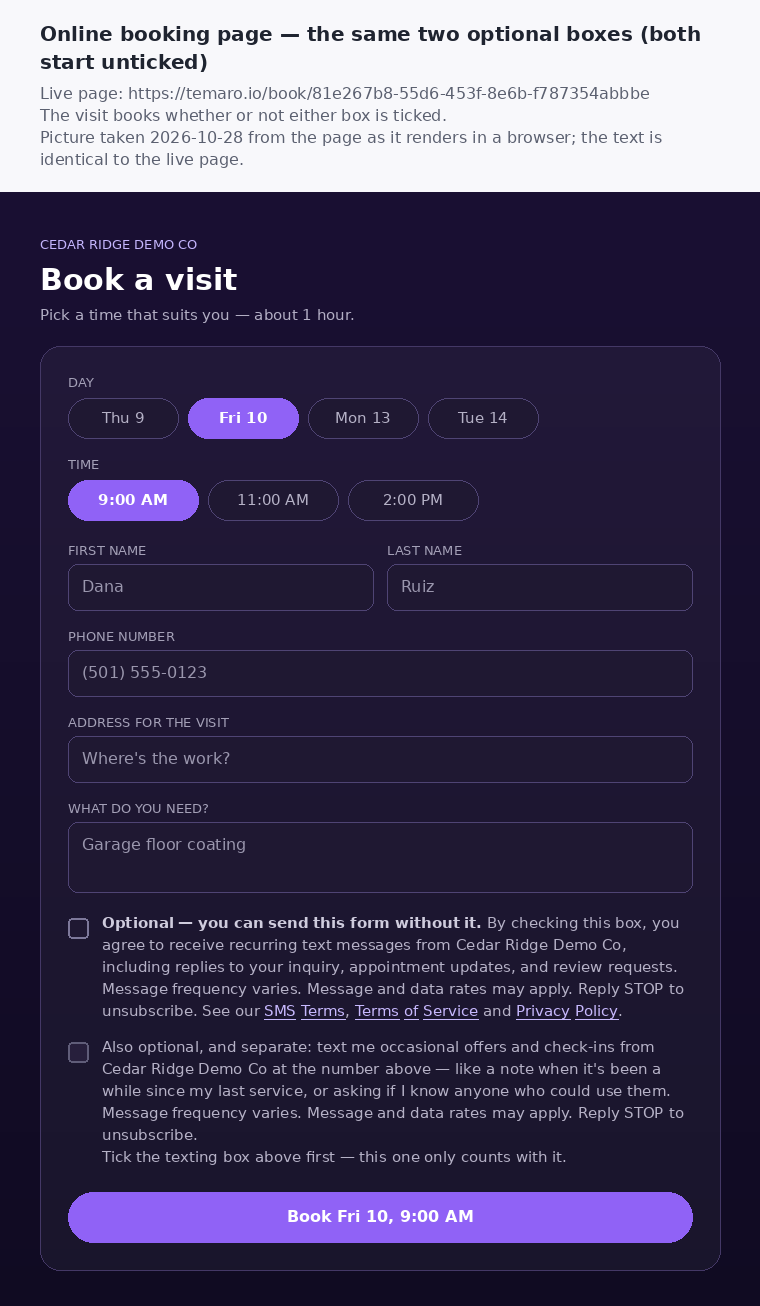
A business's “Tell us about your project” form ends with this box, and so does its online booking page. It starts unticked. The form sends, or the visit books, and you get your reply and quote, the same way whether you tick it or not.
Example — exactly as it appears on the form
The second box is separate and also starts unticked. It only counts with the first box ticked, and it's the only way to get offers and check-ins: the business can't turn them on for you.
Live examples from a demonstration business on Temaro (Cedar Ridge Demo Co) — the form: temaro.io/i/81e267b8-55d6-453f-8e6b-f787354abbbe and its booking page: temaro.io/book/81e267b8-55d6-453f-8e6b-f787354abbbe. The box's label links to the SMS Terms (this page), the Terms of Service and the Privacy Policy.
2. The “Get texts from this business?” page
A business may send you a personal link (by email, or in person) that asks whether you'd like texts. Saying no, or ignoring it, changes nothing about the service you get.
Example — exactly as it appears on the page
Get texts from [Business name]?
Tap below to agree to receive text messages from [Business name] about your project — quotes, appointment reminders, updates and a review request after the job. Message and data rates may apply. Message frequency varies. Reply STOP to any text to opt out, or HELP for help.
See our SMS Terms, Terms of Service and Privacy Policy.
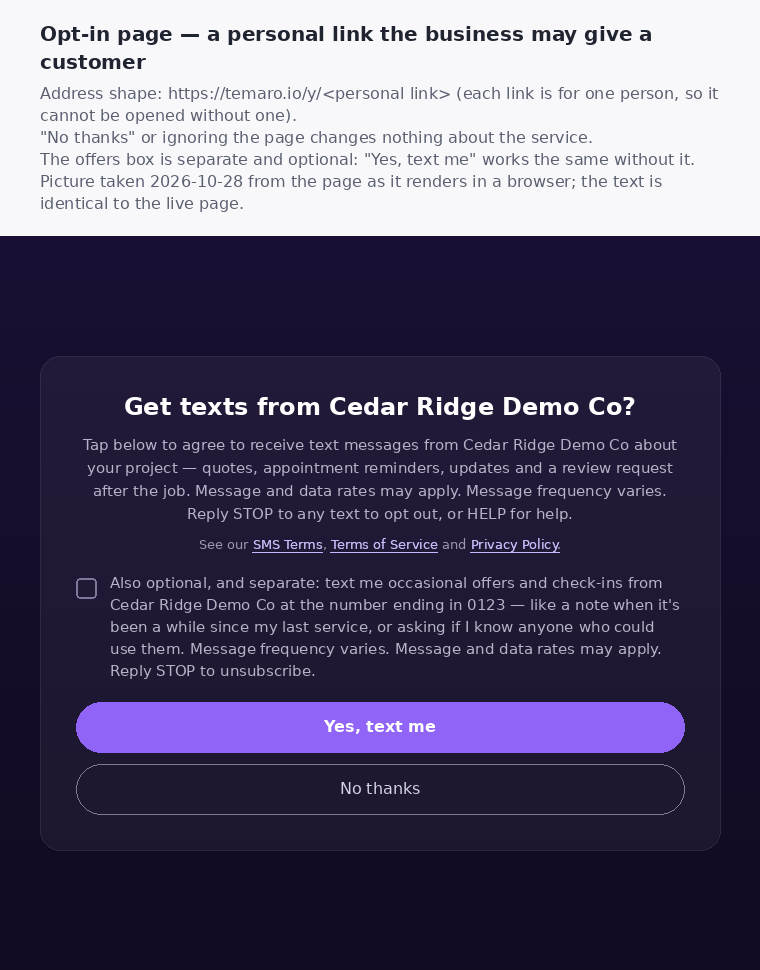
The same page lets you turn offers and check-ins off again at any time, without stopping texts about your project.
3. Texting the business yourself
If you text a business's number first, it replies to that conversation — a reply to your own message, not a subscription. For up to 90 days after your last message it may also text you about the quote, invoice or visit you asked about, reminders included — but no review request, offers or check-ins unless you opt in one of the other ways. STOP, START and HELP work as standard texting keywords: if you once replied STOP, texting START turns texts back on.
4. Telling the business directly
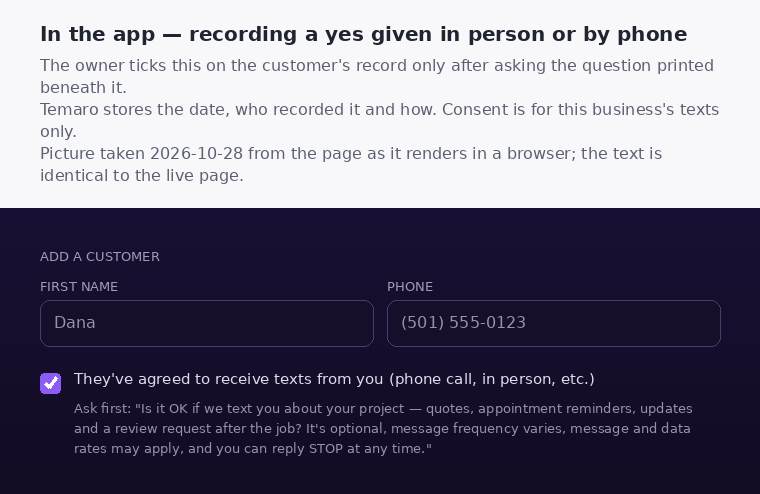
If you'd like texts and say so in person or by phone, the business first asks, in these words:
Exactly as the business asks it
"Is it OK if [Business name] texts you about your project — quotes, appointment reminders, updates and a review request after the job? It's optional, message frequency varies, message and data rates may apply, and you can reply STOP at any time."
Only if you say yes does the business record it in Temaro, with the date and who recorded it. A yes given this way covers texts about your project only — never offers and check-ins. The script, and what gets recorded, is also a document: temaro.io/sms/consent-script.pdf. The agreement is collected by that business for its own texts only and is never shared with, or taken from, anyone else.
If you call and the call is missed
You called the business first. If nobody answers, you get one text replying to your call, so you aren't left waiting:
“Hey, sorry we missed your call! This is [Business name]. Tell us about your project here so we can help faster: [link to their form] Reply STOP to unsubscribe.”
There are no further texts from that call. If you reply, it's the same as texting the business yourself (way 3 above): the business answers your message, and for up to 90 days after your last message it may also text you about the quote, invoice or visit you asked about. A reply doesn't sign you up for review requests, offers or check-ins — those need one of the other ways above.
What you'll receive
Customer care messages about your project with that business: replies to your questions, links to the quotes and invoices you asked for, appointment confirmations and reminders, job updates, and a review request after the job. Occasional offers and check-ins — a note when it's been a while since your last service, or asking if you know anyone who could use the business — go only to people who tick the separate box for them themselves. Every message names the business and tells you how to stop.
SMS Terms
- Program: Temaro Text Messaging Program, operated by Temaro LLC for the businesses that use Temaro.
- Frequency and cost: Message frequency varies. Message and data rates may apply.
- To stop: Reply STOP to any message. You'll get one confirmation text and no more texts from that number. Reply START to opt back in.
- For help: Reply HELP to any message, or email admin@temaro.io.
- Carriers are not liable for delayed or undelivered messages.
- Your number: we never share your mobile number or your texting consent with third parties for their marketing or promotional purposes. See our Privacy Policy.
Temaro LLC · admin@temaro.io · Terms of Service · Privacy Policy